Inbound integration
Inbound integration overview
In SiX IoT Platform, inbound integration refers to the process of sending commands or data to network-connected devices. While the primary communication mechanism is typically a persistent MQTTs connection—allowing app users to publish messages via an MQTT broker—there are scenarios that require a REST API approach. This API-driven method is particularly suitable for third-party service integrations, enabling external platforms to interact with devices without maintaining a constant message bus connection.
TIP
For voice platform integrations—such as XiaoDu or Tmall Genie—this API-based approach is ideal. These platforms typically use cloud-to-cloud webhooks to relay voice commands; thus, the REST API serves as the bridge to translate those external web requests into actionable commands for the connected devices.
Integration steps
1. Create a Product-Specific Inbound Integration Key
To send inbound messages, you must first create an integration key dedicated to this purpose. This key is used to exchange an access token via SiX IDaaS & IAM. Once authenticated, the token allows your service to call specific APIs to transmit data to the device.
Note
Inbound integration keys are strictly restricted by "purpose" and "specific product" validation. They are dedicated solely to inbound data flows and cannot be used for device registration or any other unauthorized API actions.
How to use Integration Key:
Please refer to the general guide for how to use integration key: Integration with API Key
2. Invoke the API to Send Device Messages
Call the designated API endpoint to transmit the payload to the target device.
INFO
For federated IoT products, the system leverages IAM federation with external cloud platforms (e.g., AWS IoT Core). In these cases, the message is automatically and securely routed to the respective cloud provider for final delivery to the device.
You can also choose to use the native messaging mechanisms provided by the target cloud platform to send messages directly to the device.
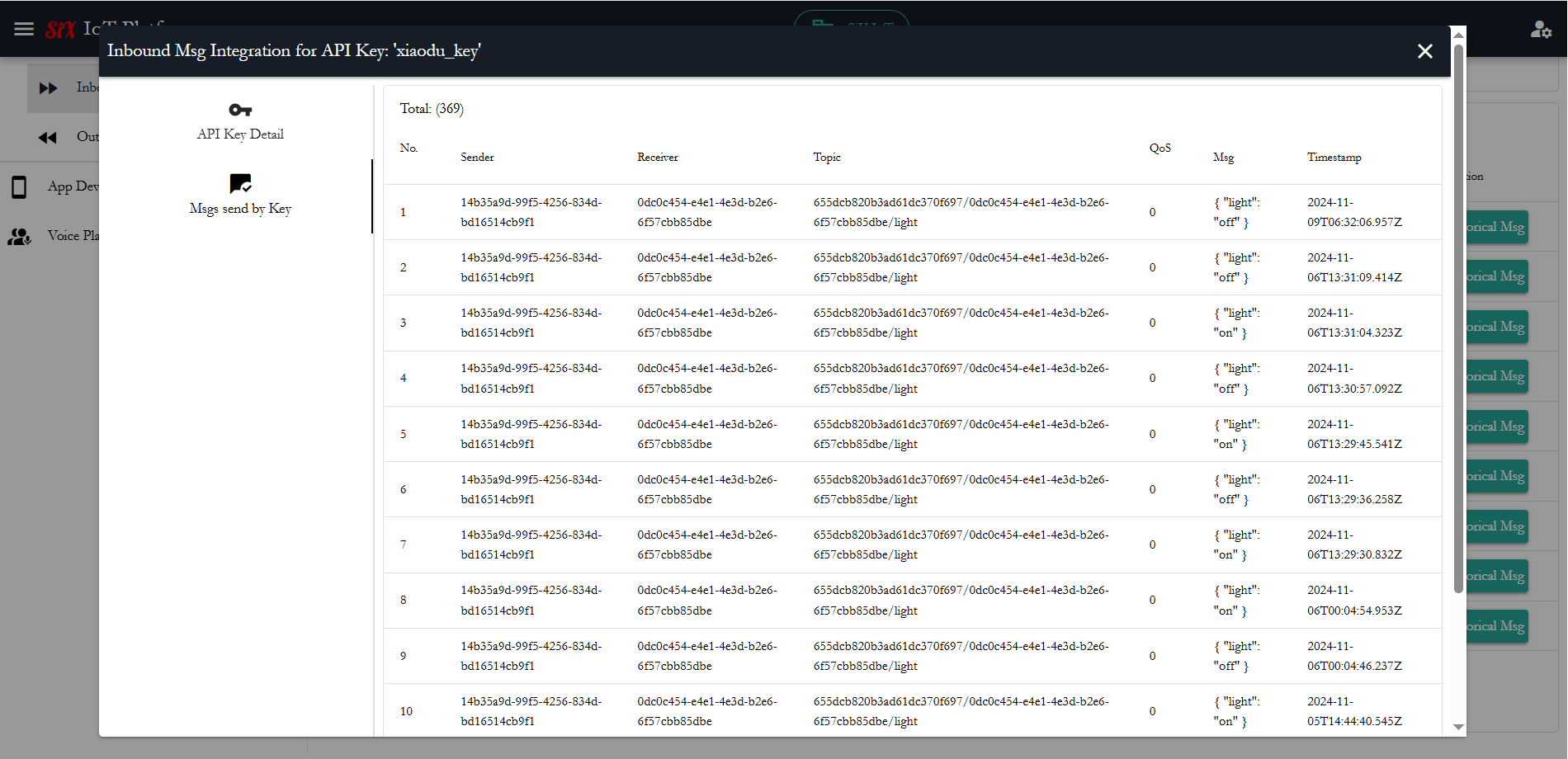
3. Monitor Message History and Integration Status
You can monitor the real-time status of specific integration keys and review the logs of all historical messages sent through this channel. This provides full visibility into delivery success rates and helps troubleshoot communication between your services and devices.